.png)
How To Open An IT Ticket
- Luis Velasquez RSM
- Jul 10, 2024
- 1 min read

Updated: Nov 14, 2024
Purpose: The goal is to learn the process of creating and submitting an IT Ticket.
Step 1:
Navigate to Help Desk. Yes, we share an account with our sister company!

Step 2:
After using Roboform to gain access to the login credentials for Help Desk, Click LOGIN

Step 3:
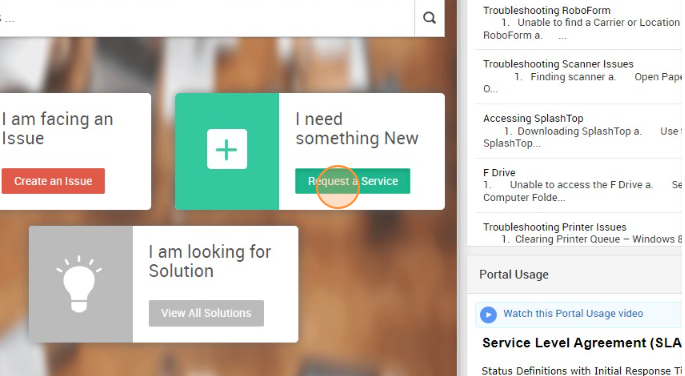
Click on Request a Service found in "I need something new".
Step 4:
On the top right, click on Report an Issue.

Step 5:
Click on New Request.

Step 6:
In the Priority Field, click on "--Select Priority--"

Step 7:
In the "--Select Priority--", click on an available option.

Step 8:
After selecting the Priority Level, select a Category

Step 9:
In the "--Select Category--", click on an available option.

Step 10:
Type in your name in the Agent Name field.

Step 11:
In the Subject field, type in the reason for submitting. For example "Logins for American Access".

Step 12:
In the Subcategory Field, click on "--Select Subcategory--"

Step 13:
In the "--Select Subcategory--", click on an available option.

Step 14:
Enter your Extension in the Agent Extension Field.

Step 15:
In the Description, type in the request. For example, "Carrier needs password reset" Once done, Submit request.


Comments